Independent Warhounds guide · Unofficial and player-focused

WINDOWS PC · 64-BITCHECKED SEP 17, 2026

Warhounds
PC System Requirements

Warhounds requires Windows 10 or 11, DirectX 11, 8 GB of VRAM, and 85 GB of free storage at both official tiers. Use the minimum table to check the launch floor, then compare the recommended CPU, GPU, and memory before installing.

Compare official specs

CURRENT STEAM LISTING

Minimum vs. recommended.

These values reproduce the current official Steam requirements for App ID 3929470. They are hardware eligibility tiers, not published frame-rate or graphics-preset targets.

ComponentMinimumRecommended
Operating systemWindows 10 / 11, 64-bitWindows 10 / 11, 64-bit
ProcessorIntel Core i5-9600
AMD Ryzen 5 3600X
Intel Core i5-12600K
AMD Ryzen 7 5700X
Memory8 GB RAM16 GB RAM
GraphicsGeForce GTX 1070 Ti
AMD Radeon RX 5700
NVIDIA GeForce RTX 3070
AMD Radeon RX 6800
Video memory8 GB VRAM8 GB VRAM
DirectXVersion 11Version 11
Storage85 GB available85 GB available
Official source · Checked September 17, 2026View Warhounds on Steam

Choosing the GOG edition? See Warhounds on GOG: offline installation and optional Galaxy before downloading.

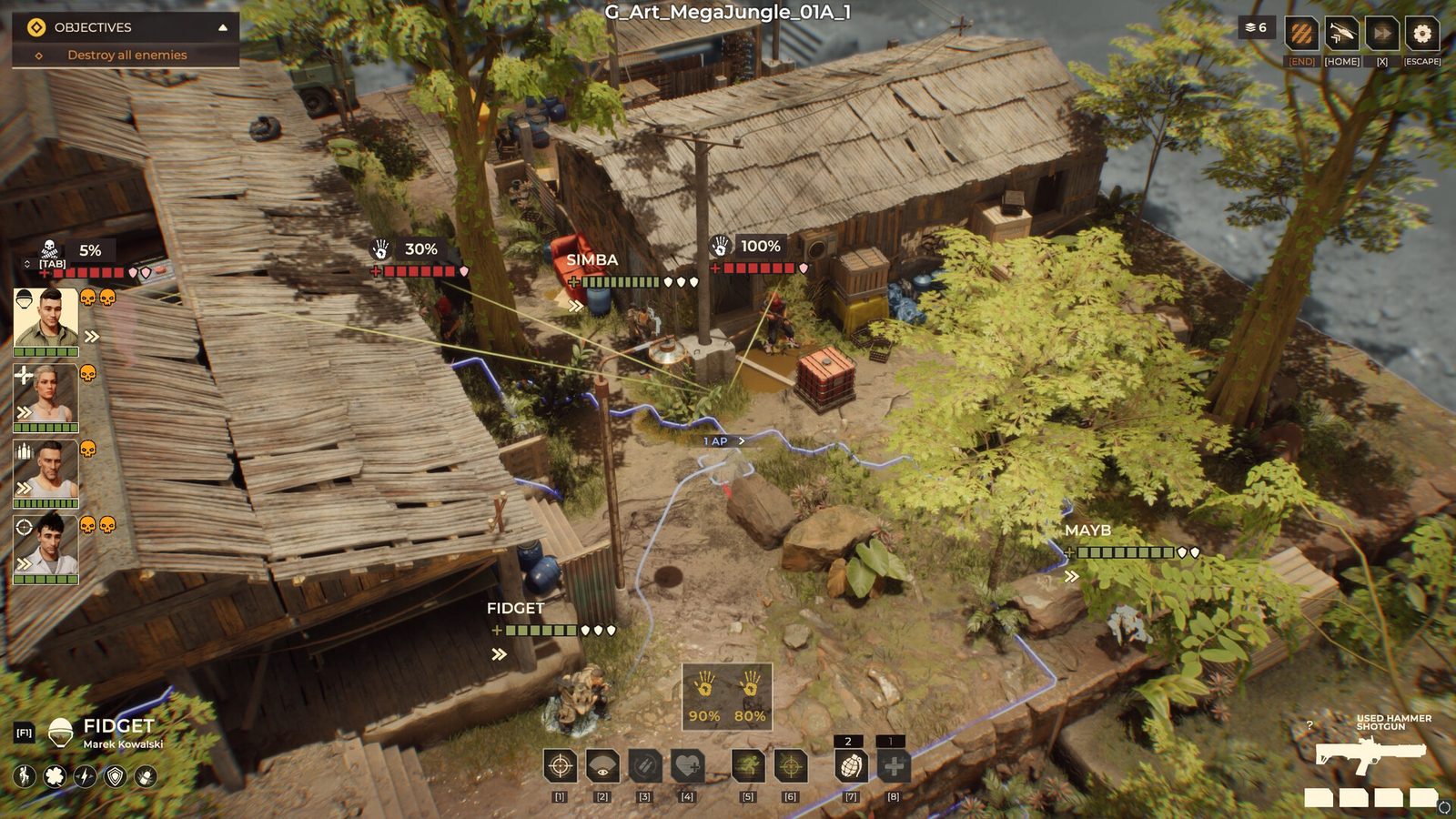
Warhounds tactical mission view with objective panel, squad positions and attack percentages
Official Steam screenshot · gameplay context, not a hardware benchmark
Warhounds attack preview showing target chance, distance and cover modifiers
Official Steam screenshot · attack-preview context

GPU, VRAM, AND DIRECTX CHECKS

GPU, VRAM, and DirectX checks

Match the exact hardware and API against the official table first. The checks below are practical setup guidance, not a measured Warhounds benchmark.

Before install

Find the GPU and its memory

Press Ctrl + Shift + Esc, open Task Manager’s Performance tab and select each GPU entry. Note the model and the total dedicated GPU memory. Compare both with the table above. Shared GPU memory is system memory available to graphics; do not add it to dedicated VRAM to claim the listed 8 GB.

Before install

Check CPU, RAM and Windows

Open Settings → System → About. Read Processor, Installed RAM and System type. Compare the full CPU model and RAM with the appropriate table column, and confirm a 64-bit system. System RAM and the GPU’s dedicated memory are separate requirements.

Before install

Read the DirectX version

Search Windows for dxdiag, open the DirectX Diagnostic Tool and read DirectX Version on its System tab. This identifies the installed runtime; it does not replace the GPU model and memory checks. Seeing DirectX 12 does not mean Warhounds requires it: the game lists DirectX 11.

Before first mission

Check the installation drive

Open File Explorer → This PC and read the free space on the drive selected for your Steam library. Warhounds lists 85 GB available. Free space on another drive does not meet that installation’s needs. The listing specifies neither SSD/HDD nor an extra update-space allowance.

If performance is uneven

Change one setting at a time

Start conservatively, lower resolution or graphics options individually, and test the same scene. This site has not published a controlled preset benchmark yet.

If the game crashes

Check the current hotfix

Mission-transition crashes received multiple fixes after release. Confirm the latest patch before classifying a hardware problem.

Open known issues
New player

Start with the first-session guide

Use the beginner page for objective checks, attack-preview reading, and squad readiness before you troubleshoot a specific issue.

Warhounds beginner guide
Windows instructions: Microsoft: GPU and memory readings in Task Manager; Microsoft: check the DirectX version.

UNPUBLISHED TARGETS

What the requirements do not promise.

A requirements table cannot establish smoothness on every device. Laptop power limits, cooling, drivers, background load, and individual game scenes can change actual performance.

ResolutionNo official minimum or recommended target published
Frame rateNo official FPS target attached to either tier
Graphics presetNo Low, Medium, High, or Ultra mapping published
SSD requirementNot stated on the current Steam requirements